 AU
How to Design a Pull Up Banner (or Corflute Sign) in 2 Minutes, No Design Software Needed
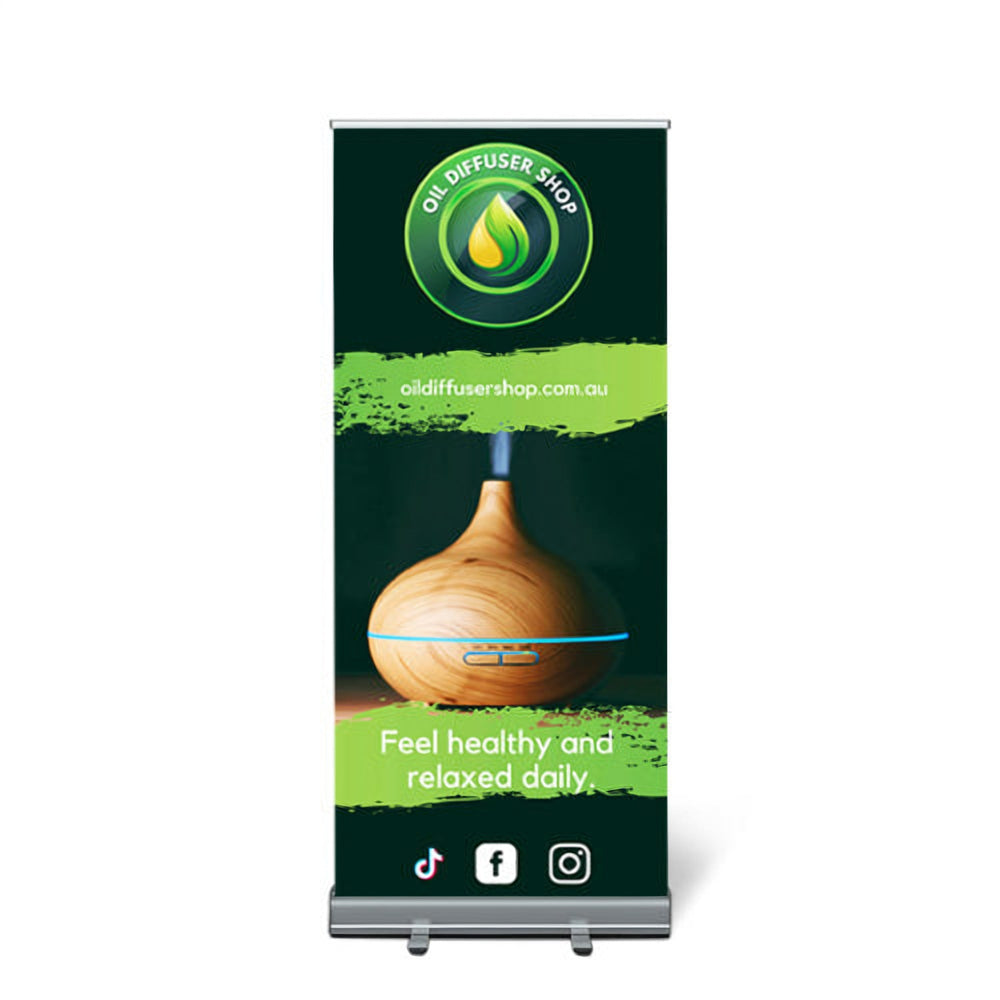
You have an expo on Saturday, a pull up banner to order and no designer. Or the shop needs a corflute sign for the footpath and nobody in the office knows how to use design software. This guide shows how to get a print-ready design for a pull up banner or a corflute sign in a couple of minutes using the Design it with AI button on our product pages. It saves you time, money and hassle, and you still approve a proof before anything is printed.
Before you start: what to have ready
The design itself takes about two minutes. Having these four things ready makes it faster still:
- Your product and size. Our standard pull up banners come in 600 × 1400 mm, 800 × 2000 mm and 1000 × 2000 mm. Corflute signs can be anything from 150 × 150 mm up to 1200 × 900 mm.
- Your logo. A PNG or JPG is fine. If you don't have the file handy, you can paste your website address instead and the designer will pick up your branding from it.
- One main message. The single thing you want people to remember, such as "Grand opening this Saturday" or "Now enrolling for 2027".
- How people contact you. Usually a website, phone number or QR code. Pick one or two, not five.
How to design a pull up banner with AI, step by step
- Open the product and choose your size. Go to Pull Up Banners (or Premium Pull Up Banners for an 850 × 2050 mm premium stand), select the size and options you want, then click Design it with AI. The designer opens at exactly that size, so the artwork fits the print.
- Describe what you need in a sentence or two. Tell it who you are, what the banner is for and the feel you're after. For example: "Pull up banner for Westside Physio at a community health expo. Main message: Book a posture assessment. Clean and friendly, blue and white, include our phone number and website."
- Add your logo. Tap + to attach your logo, a product photo or existing artwork.
- Choose your favourite design. A set of design directions comes back in about a minute. Look at them at arm's length on your screen: the one you can read fastest is usually the right one.
- Refine it by chatting. Ask for changes in plain English, such as "make the headline bigger", "swap the photo for something outdoors" or "try a darker style". Keep going until you're happy.
- Approve and order. When you approve the design it's attached to your order, and the print-ready file is created for you. Before we print, you receive a digital proof to check, included with every printed order.
What makes a pull up banner work
AI gets you a professional layout quickly, but it helps to know what a good banner looks like so you can steer it:
- Logo at the top. The top of a banner is the part people still see over a crowd, so put your brand there.
- Headline at eye level. Keep it short, ideally under seven words, so it can be read while someone walks past your stand.
- Keep the bottom clear. The bottom of the graphic sits behind the base of the stand. The designer marks the strip that's hidden by the stand, so keep text and logos out of it. Our pull up banner artwork guide explains the safe area in more detail.
- Strong contrast. Dark text on a light background, or the other way round. Text placed over a busy photo is hard to read from a few metres away.
- One call to action. "Scan to book", "Ask us about..." or "Visit our website". Give people one thing to do, not a list.
Designing a corflute sign instead
The steps are the same: open Corflute Signs, choose your size, click Design it with AI and describe the sign. Corflute signs are often read from a car or across a car park, so the rules shift a little:
- Fewer words. A footpath or roadside sign has a second or two to get its message across. Aim for a headline and one line of detail.
- Bigger letters. A common sign-industry rule of thumb is about 25 mm of letter height for every 3 metres of viewing distance. If people will read the sign from 9 metres away, the main words need to be at least 75 mm tall.
- Bold, simple colours. High-contrast colour pairs such as black on yellow, white on red or white on dark blue stand out outdoors.
- Same design, many signs. Election, real estate and event signs are often ordered in bulk. The AI design fee is charged once for the design, not per sign printed.
If your corflute sign goes in an A-frame on the footpath, mention that in your description so the layout suits a sign read at walking pace.
What it costs
- Design it with AI: $9.95 per finalised design, charged once for the design you approve. Nothing is charged until you approve.
- Professional Design Service: $99 to $199 per design, for complex jobs where you'd rather our design team took the brief.
- Your own print-ready artwork: no design fee. Upload it on the product page.
Printing is priced separately on each product page, and the digital proof is included with every printed order.
Common mistakes to avoid
- Too much text. A banner is not a brochure. If you need to explain your services in detail, put a QR code on the banner and the detail on your website.
- A low-quality logo. A tiny logo copied from an email signature can print blurry at banner size. Use the original file if you have it, or paste your website address.
- Not checking the proof. Read every word on the proof, especially phone numbers, web addresses and dates. It is much easier to fix a typo before printing than after.
- Ordering at the last minute. Most small runs are produced within 24 hours of proof approval (3pm cut-off on business days), but delivery time depends on where you are, so allow time for shipping.
Quick answers
Do I need design software? No. Everything happens in your browser, on a computer or phone, and you don't need to worry about file formats, bleed or resolution.
Can I use my own logo? Yes. Add it with the + button, or paste your website address.
Can I change the design afterwards? Yes. Keep chatting to adjust it before you approve, and you will still see a proof before printing.
Which other products can I design with AI? Media walls, feather and teardrop flags, table covers, A-frame signs and many more. See them all on our Design with AI page.
Ready to try it? Design your pull up banner with AI or design a corflute sign. Vivid Ads has been printing signs for Australian businesses since 2007, and every order is printed at our factory in Derrimut, Melbourne.